


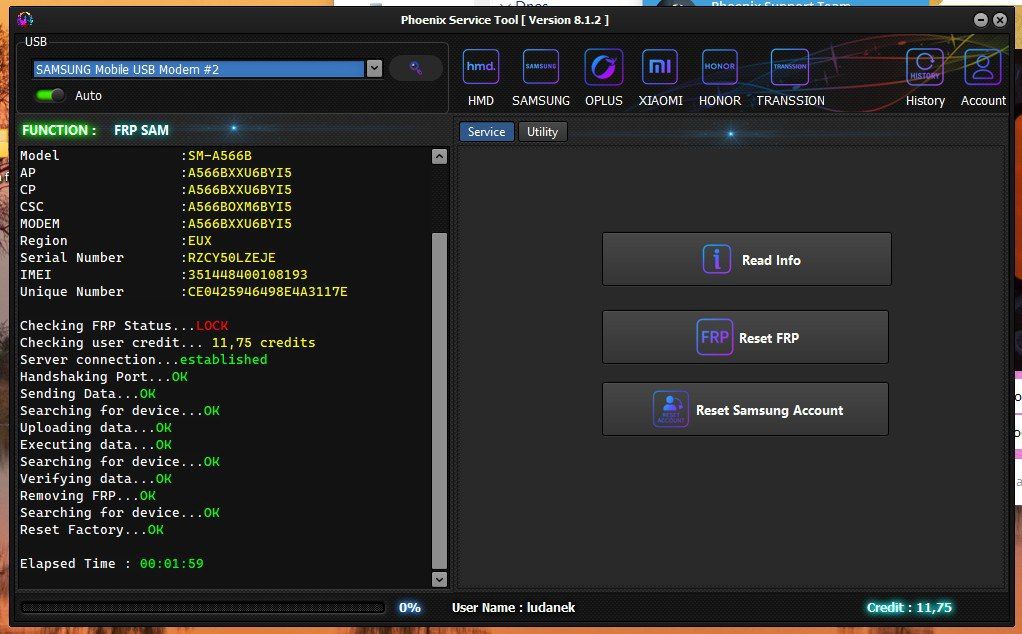
Phoenix Service Tool ist ein professionelles Windows-Tool, mit dem du bei vielen Samsung-Geräten die FRP-Sperre (Google-Kontoschutz) im MTP-Modus entfernen kannst – inzwischen auch für viele Modelle mit Android 16.
Aktuell wird beworben, dass Samsung FRP Android 16 FREE for all verfügbar ist: keine Credits, keine Lizenz, unbegrenzte Nutzung für unterstützte Geräte.
Die Bedienung ist einfach: Tool installieren, Gerät im eingeschalteten Zustand per USB verbinden, im Samsung-Bereich des Programms das Modell erkennen lassen und die Funktion „Reset FRP / Remove FRP“ starten. Nach dem Vorgang startet das Gerät neu und die Google-Kontoabfrage ist entfernt.
Achtung: FRP darf nur auf eigenen Geräten oder im Auftrag des rechtmäßigen Besitzers entfernt werden. Falsche Nutzung oder unterbrochene Vorgänge können zu Datenverlust oder einem Brick führen, daher ist das Tool vor allem für Techniker gedacht.
Download Phoenix Service Tool (aktuelle Version):
Phoenix Service Tool herunterladen

